
A vocal trainer that shows the accuracy of your voice
Doremio analyzes your pitch through the microphone and compares it with a target note or vocal melody.
Three ways to practice
Start with a single note, move on to warm-ups, or choose a complete song from the catalog.
See whether you are high, low, or right on the note
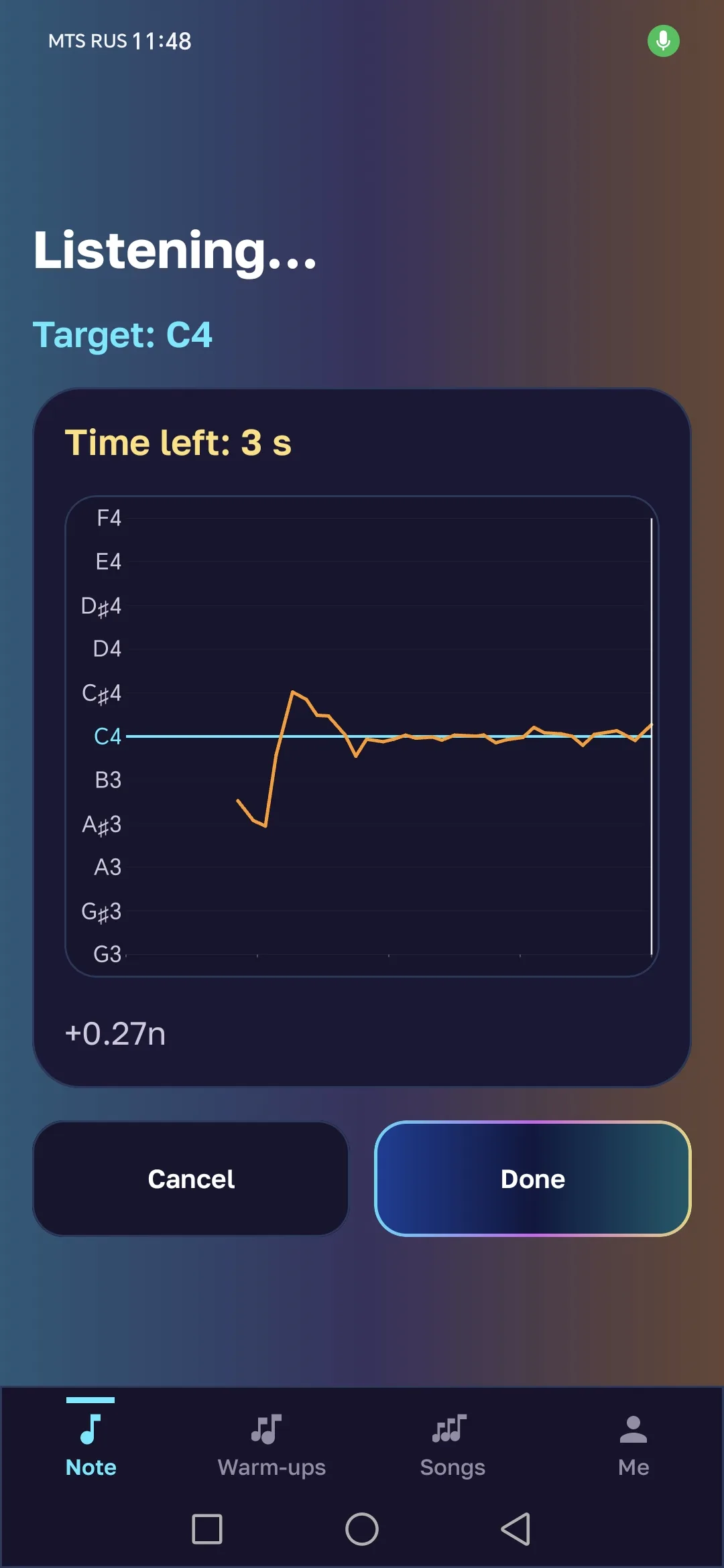
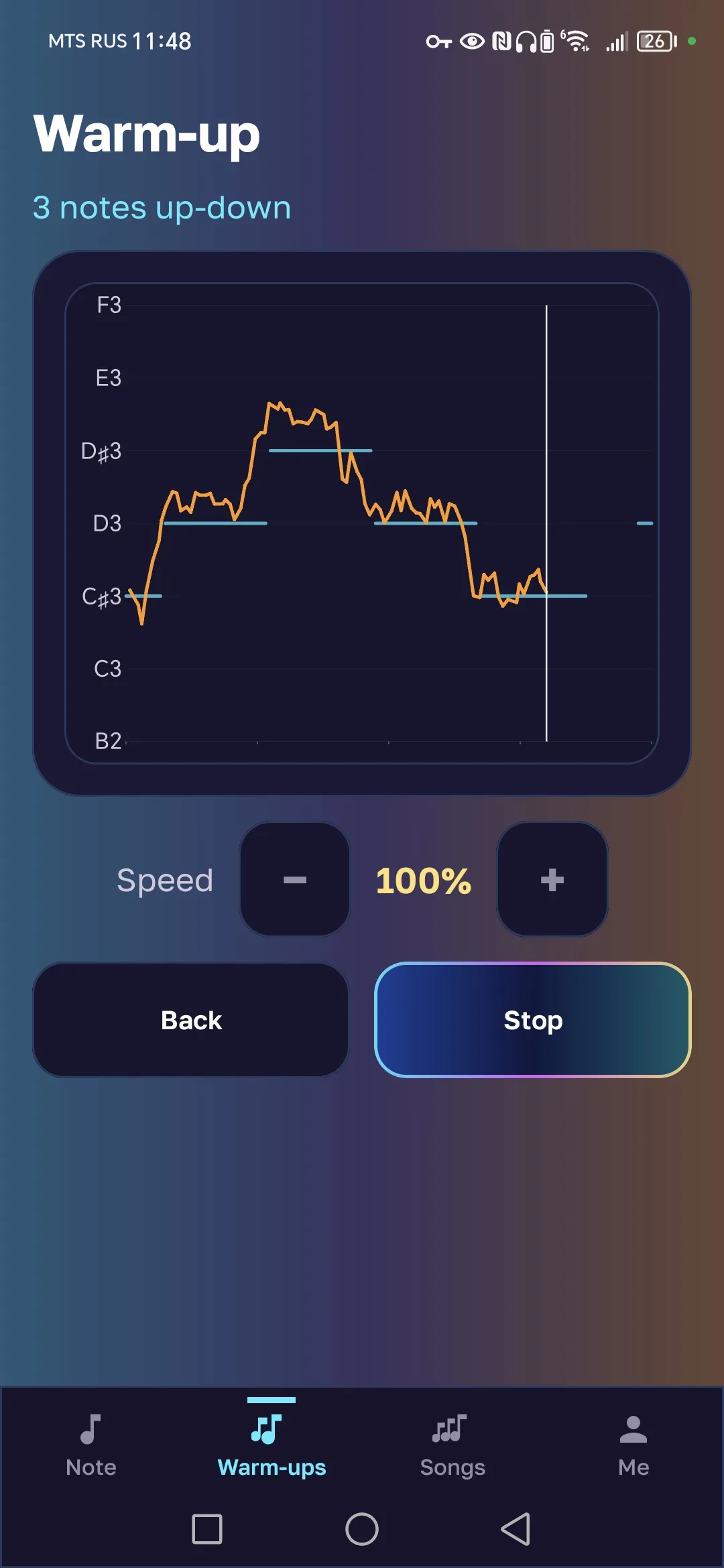
The target line shows the pitch to sing, while the voice line shows the sound you actually produced. The distance between them reveals the deviation.
- Target line — the note to sing
- Voice graph — what you actually sing
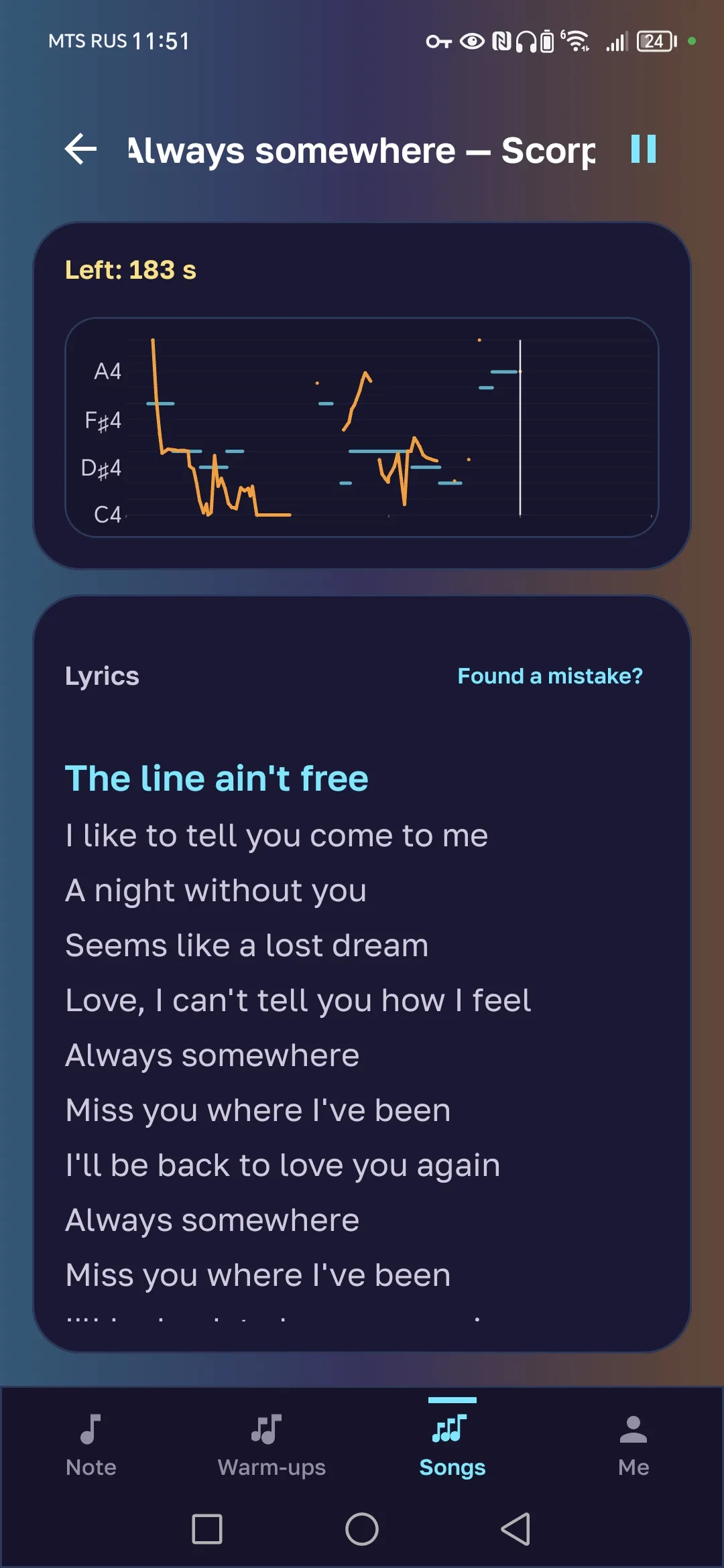
Move from exercises to complete songs
Choose a song from the catalog, sing with a backing track, follow the lyrics, and track the vocal melody.
Open the catalog- ♪A backing track without the original vocals
- ≋Lyrics synced to the music when timing is available
- ⌁A vocal melody to help you follow the pitch
See the app in action
Four clear steps: set up an exercise, sing, move on to warm-ups, and practice complete songs.
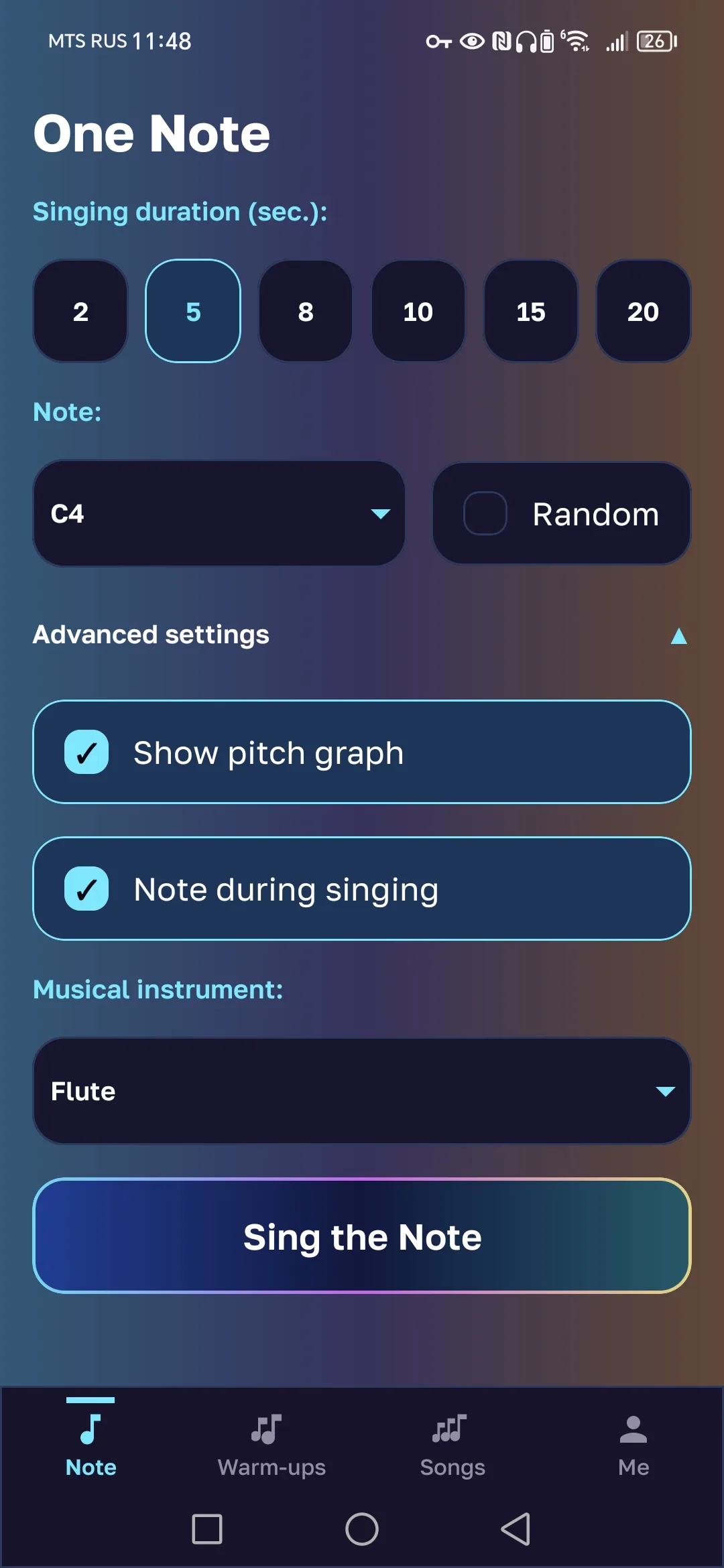
Set up an exercise
Choose the target note, duration, and chart display mode.
Sing and see the result
Doremio listens to your voice and shows the deviation from the target note in real time.
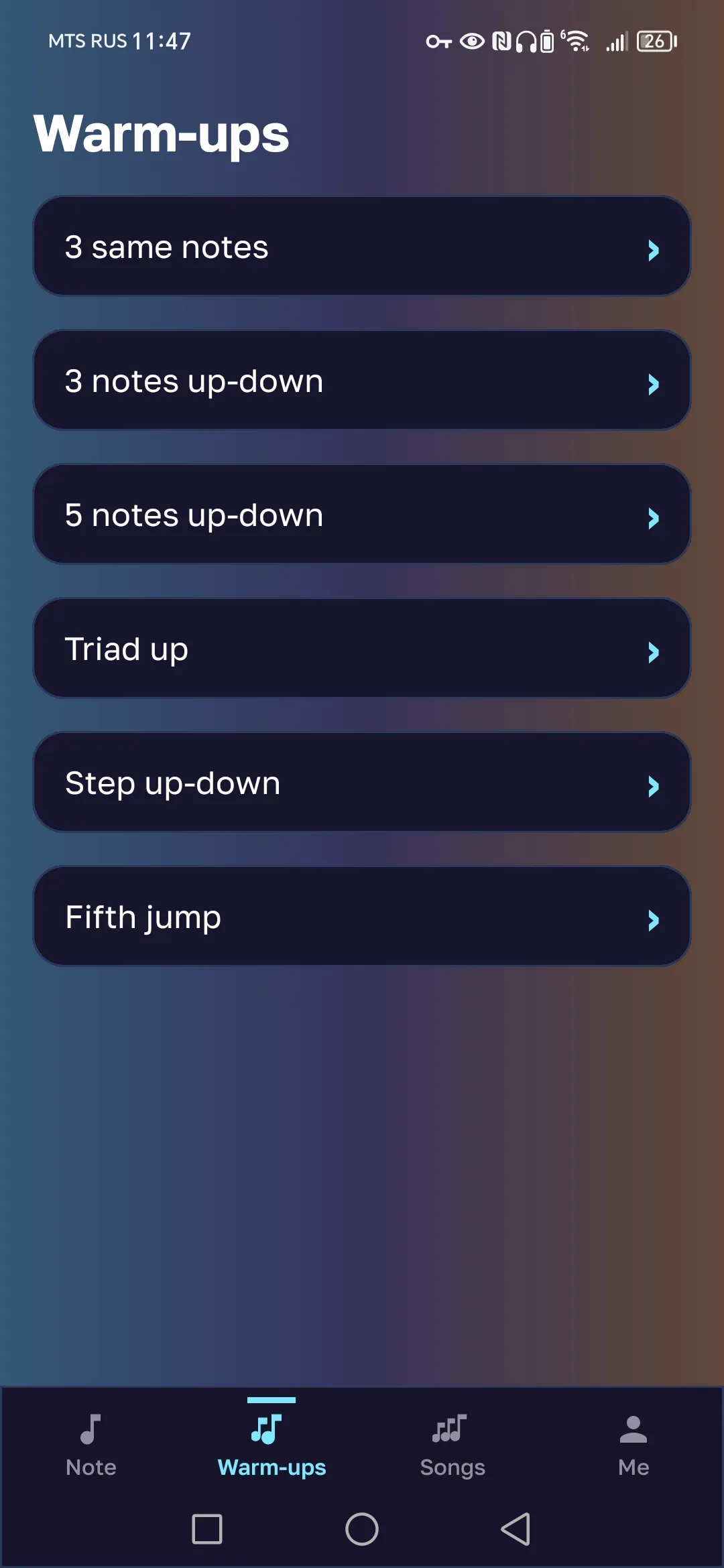
Move on to warm-ups
Choose a ready-made exercise and follow your voice as it moves through the notes.
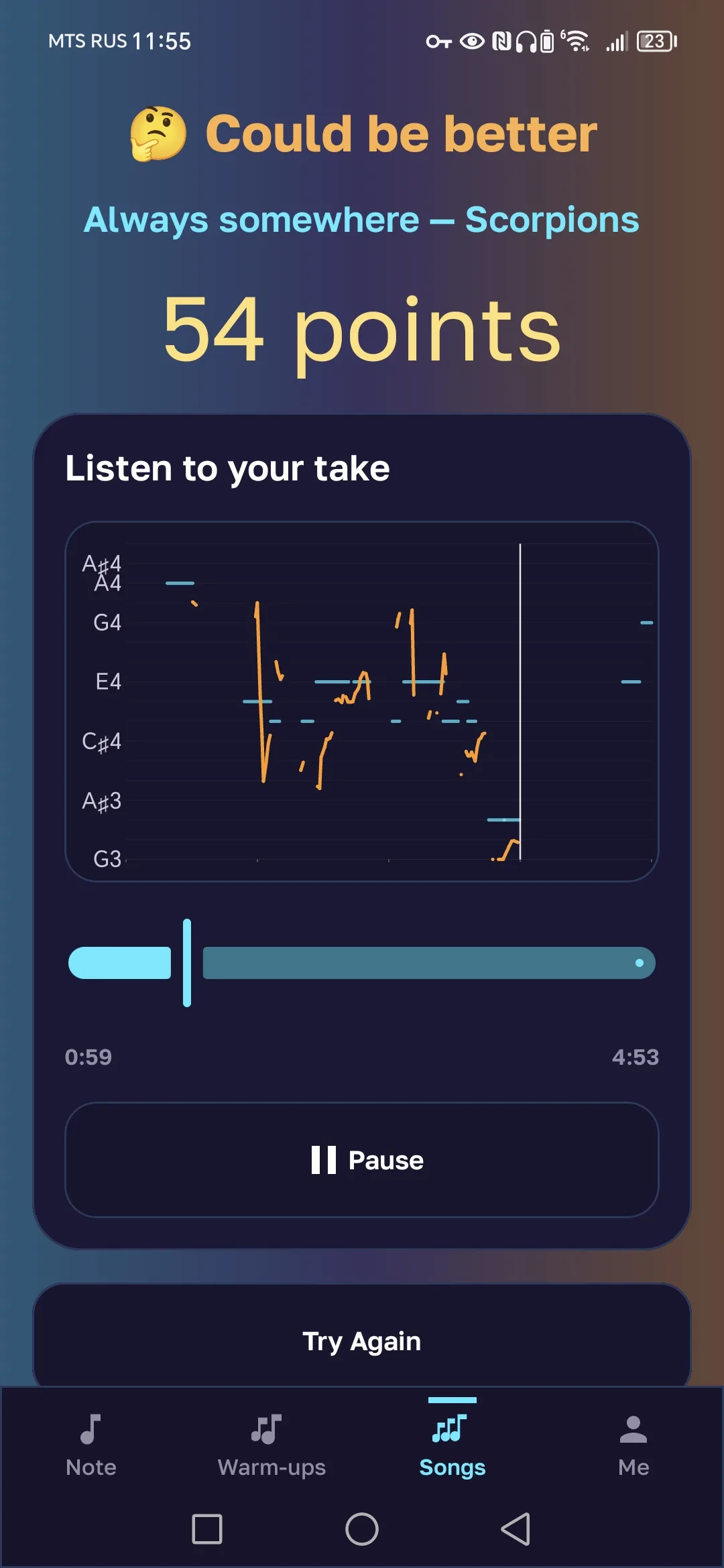
Move on to complete songs
Choose a song, sing with the backing track, and follow the lyrics and vocal melody.
Questions and answers
Quick answers about pitch accuracy, practice modes, and getting started with Doremio.
How does Doremio measure singing accuracy?
The app detects your pitch through the microphone and compares it with a target note or vocal melody. The closer the lines are on the chart, the more accurately you are singing.
Is Doremio suitable for beginners?
Yes. Pick a note, sing it, and improve step by step without complicated theory.
Do I need a trained musical ear?
No. The chart gives clear visual feedback and helps you gradually learn to hear pitch differences on your own.
Can I see the chart while I sing?
Yes. In live mode, your voice line moves across the chart in real time while you sing.
Can I sing without a reference note?
Yes. Turn off the hint to train your ear; the app will still show how accurately you sang.
Is the app free?
Yes. Doremio's core features are available for free.
How do I practice a complete song?
Open the catalog and choose a song. Its backing track, lyrics, and vocal melody are prepared for practice in advance.
What if the song I need is not in the catalog?
Upload an MP3 or WAV already saved on your device. After processing, the finished song will appear in the shared catalog.

Hit the note with Doremio
Download Doremio for free and start with one note, a warm-up, or a favorite song.